Features
Personal and shared Agents, with Conversations across your paired devices.
The first pilot is invitation-only and unpaid, for ten US-adult accounts. Platform and service acceptance is still required. Check pilot requirements and known issues.
An avatar that tells you whose turn it is
Your Agent's avatar is drawn live in its colour, and its shape changes with the conversation: a breathing halo when it's your turn, bars that follow your voice while it listens, gear teeth while it works, a voice print as its reply reaches you, and a broken ring when it's waiting on your answer. Try each one.
With Reduce Motion on, each state is a still shape.

See it at work
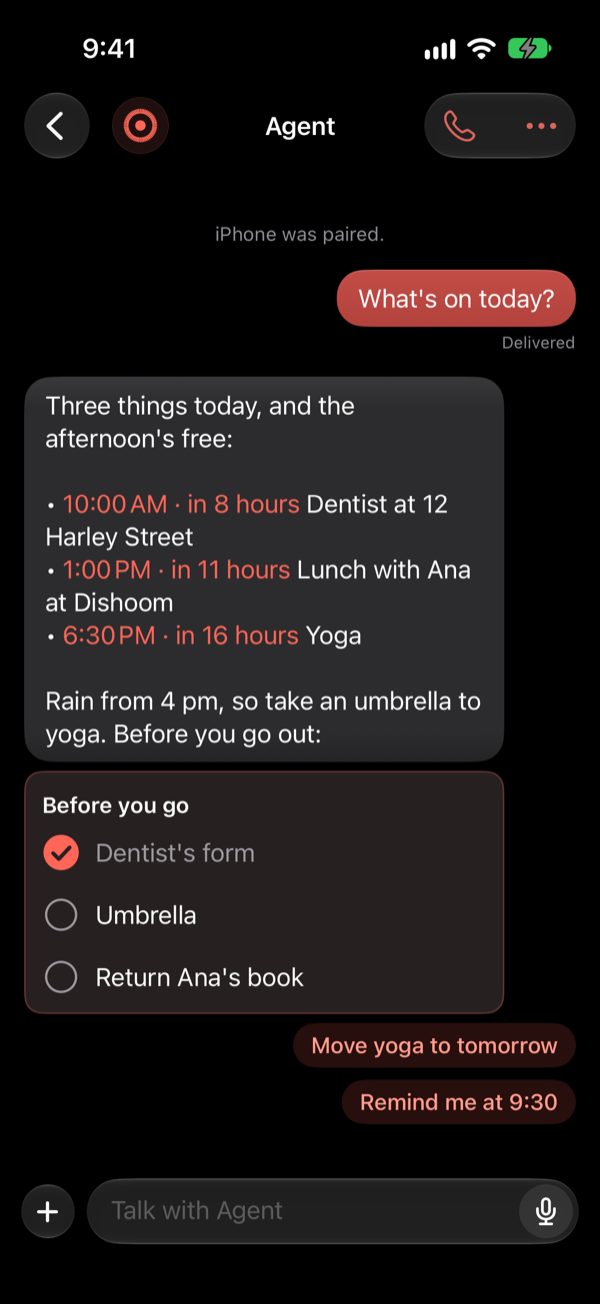
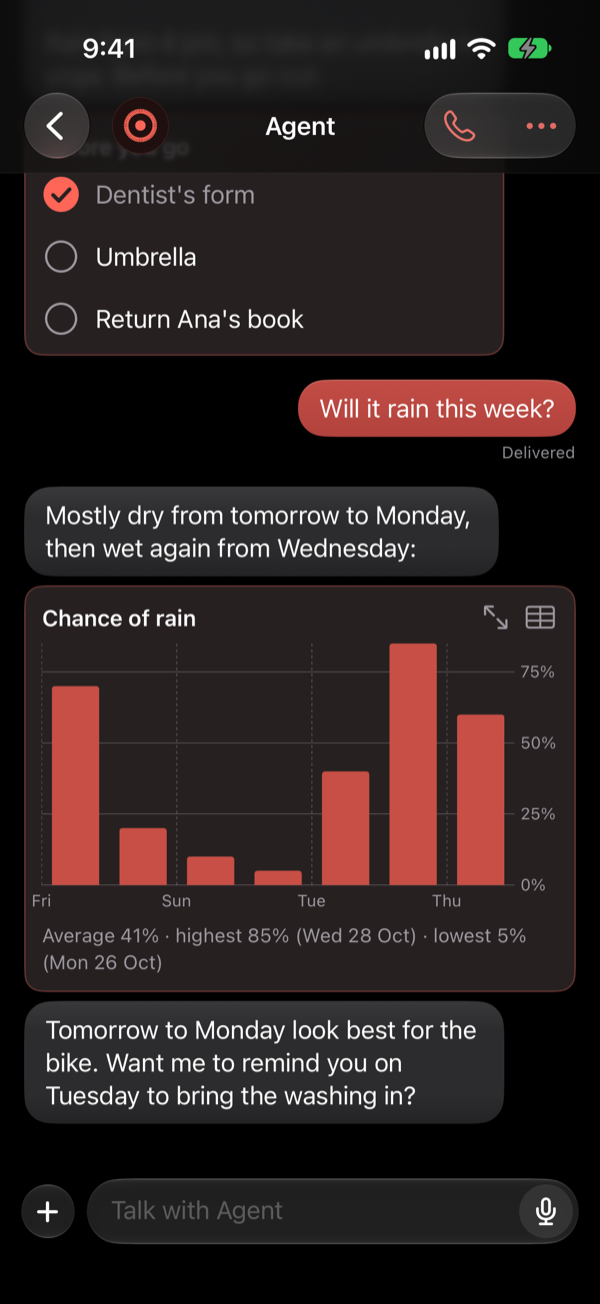
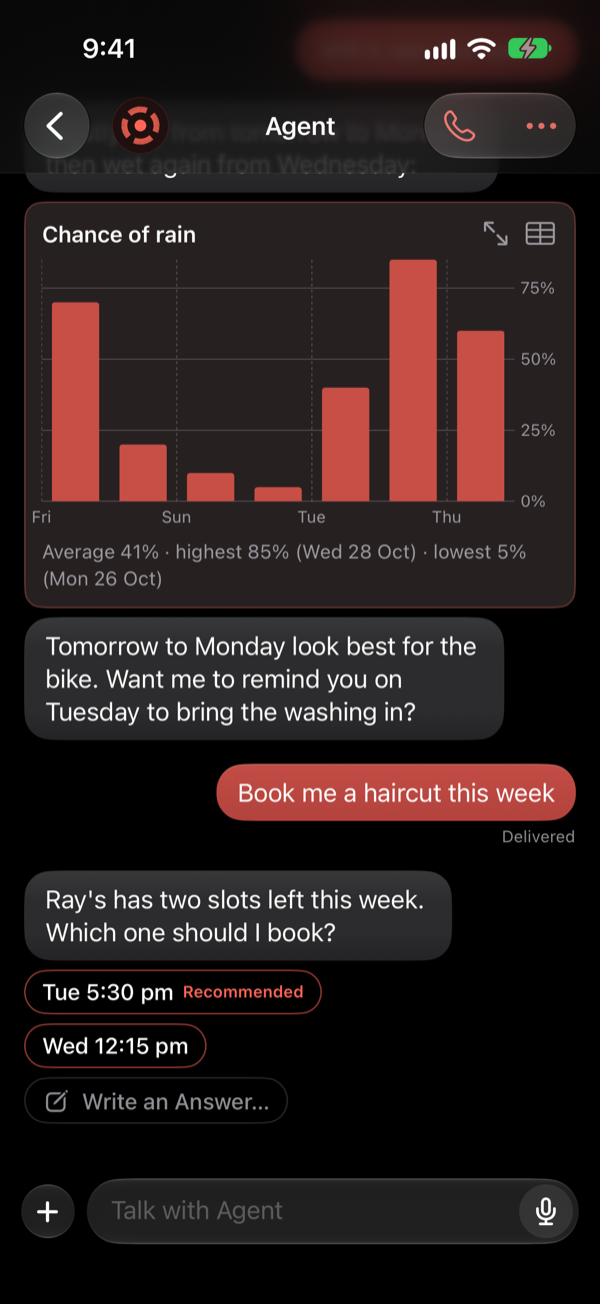
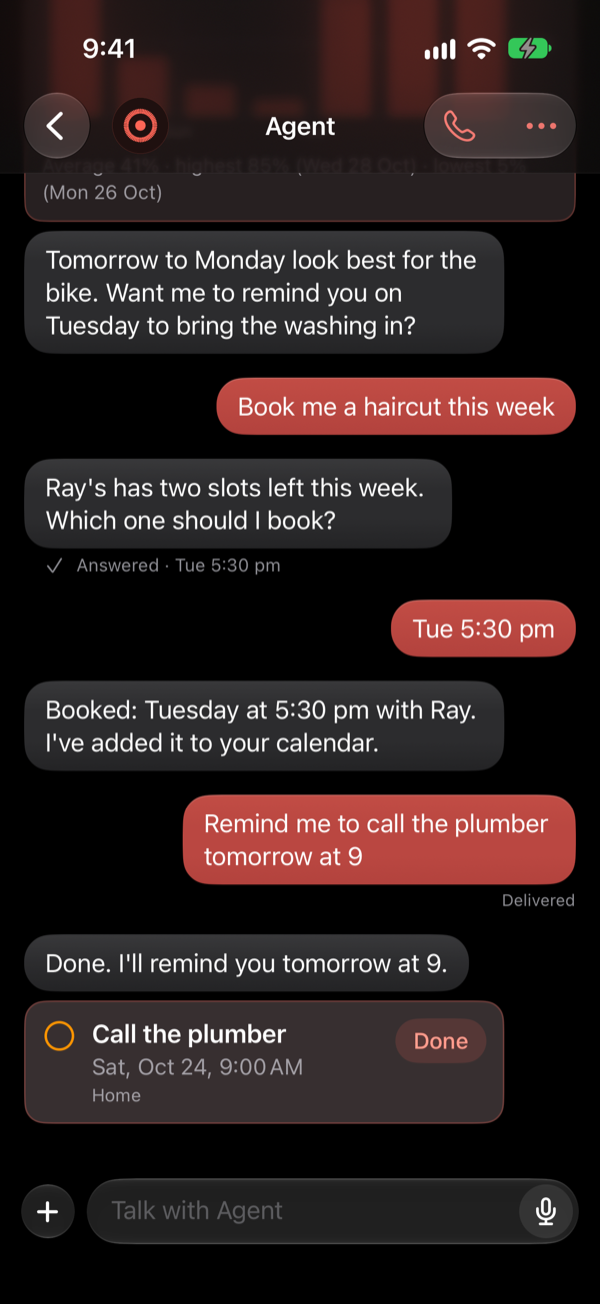
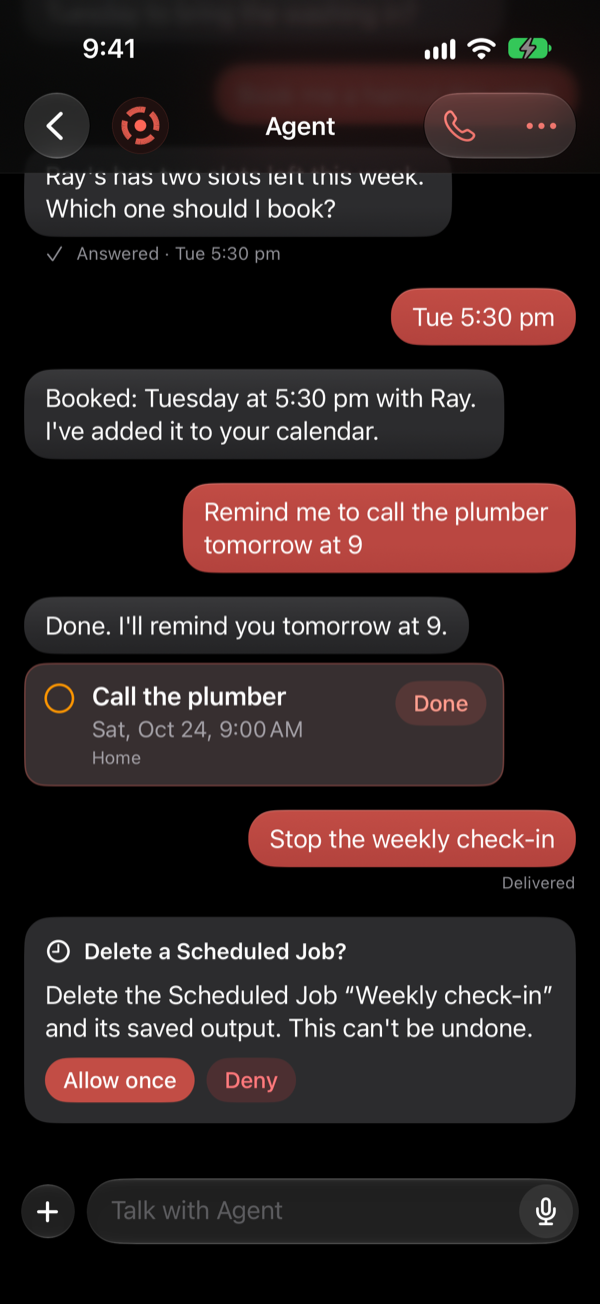
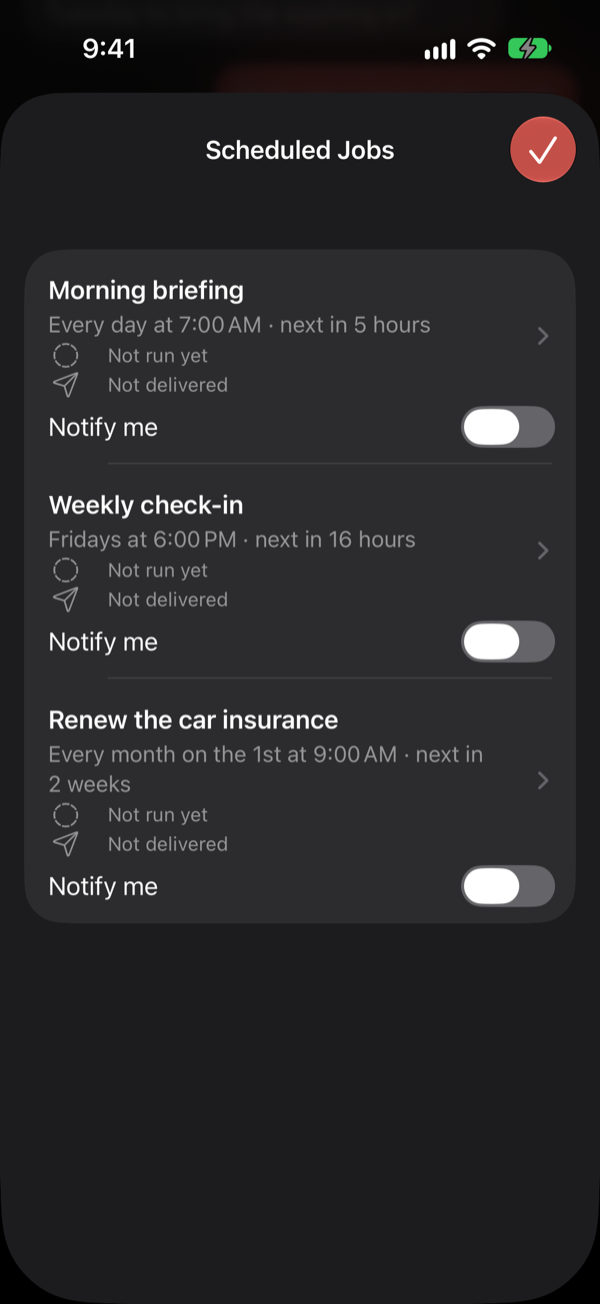
Earlier iPhone examples from a scripted local test fixture. These are not captures of the current pilot candidate; current app screenshots still need capture and review before publication.
Your Agents and people
Create several Cloud Agents for different purposes, or connect Agents on your own Hermes Instance. Several Users can share an Agent. Each User has a private Conversation across their own paired devices, while Agent memory, skills and Scheduled Jobs are shared. Shared Topics are visible to everyone on the Agent. Private Conversation history does not mean facts learned by the shared Agent stay private in its memory. Owners control invitations and scoped access; sharing an Agent does not give another User ownership, billing authority or access to every device.
Connections in the beta
Share one friend link or QR code, review a request, then choose the individual connections you want. Accepting a friend does not give them access to all your Agents. Both owners control their side of each connection.
Supported Cloud connections can share files. Agent replies can use supported images and text documents within the app's limits; self-hosted Hermes connections are text-only. Both connection owners can read each shared Conversation, and the target Agent's owner pays its inference costs. Other private Conversations, files and devices are outside that connection. This is separate from Users sharing one Agent and its memory, skills and Jobs. Voice Messages, Calls and Device Actions are unavailable in these shared Agent Conversations.
Choose how your Agent runs
Coral Courier Cloud
We host your Agents. Pilot ordinary inference is funded within the approved operator budget. Cloud Plus/Pro includes Hermes/BYOK access against the existing allowance, with no second subscription or independent pool.
Your Hermes instance
Connect the Hermes Agent you already run. You fund its hosting and ordinary inference. Coral Courier services have separate bounded funding; the app must not silently switch payer.
Your OpenAI API key
Hosted direct OpenAI BYOK ordinary inference is owner-only and remains unavailable until custody and route/model verification pass. Ordinary BYOK inference is owner-funded; Coral Courier services are separately bounded.
Using a ChatGPT subscription for hosted inference is not available in Coral Courier yet. Provider, model and payer changes need the applicable authorization, with no silent fallback. Full owner Hermes relay is required pilot work; end-to-end protection must be verified before it is offered. See funding limits and planned tiers.
Talk to it
Chat
Type, paste or share pictures and files. Replies arrive as they're written, with cards for things like your calendar.
Voice messages
Record a message, and your Agent hears it. It can read its replies aloud too.
Calls
Talk hands-free, and interrupt whenever you like. Your Agent keeps working while you talk, and the Call is part of the same conversation.
In the car
Conversational CarPlay requires iOS 26.4 or later. Companion, hardware and entitlement limits apply; see platform requirements.
Let it help
Your day
Ask what's on today, add a reminder or an event, find a route in Maps or run a Shortcut, from chat or on a Call.
Scheduled Jobs
A morning briefing, a weekly check-in, a one-off reminder: your Agent runs them on time and tells you when there's something to see.
Files
On iPhone and iPad, file access uses the Coral Courier folder. Mac file access can reach paths available to your Mac account, subject to Access and OS permissions.
Know when it's done
Longer work shows on the Lock Screen and in notifications, so you can put your phone down.
You stay in charge
You choose what it can use
Settings › Access has a switch for each area on each device: calendar, reminders, location, files and more. Review the actual switches on each paired device; do not assume every area starts off. OS permissions are separate from Agent Access.
Approvals
An Approval authorizes a named action. Verification separately proves who is answering. Sensitive Approvals and funding require an authorized Apple app device; Face ID is not a promise that every Device Action asks first.
Spend limits
A daily limit stops new paid work once it is reached, and a per-task limit tells you when a task runs long; work already started finishes. The app shows your balance and what each use cost, down to "less than $0.01".
Your data
No ads, and no tracking across other apps and websites. Read the Privacy Policy and which AI providers do the work.
Across supported devices
The iPhone app runs on iPad too. The Mac app keeps your Agent in the menu bar and a sidebar, with a recording bar for a quick word and the same conversation as your iPhone. Pair each device once from a link or QR code (pairing help), and Handoff carries you from one to the other at the same place in the chat.